Install
macOS 26+ · Apple Silicon
- Move to Applications.
Open the downloaded DMG and drag TigerDC++ to the Applications folder in its window.
- Open TigerDC++.
If macOS blocks it, follow these steps to open it.
- Start your free trial.
Click “Start Free Trial” in the license window. All features are available for 24 hours. An internet connection is required to start. Already have a license? Enter the key from your purchase email.
macOS blocked the app?
This build is not signed with an Apple Developer ID or notarized by Apple. At first launch, macOS may say that it cannot verify TigerDC++.
- Click Done.
Keep the app in Applications. Don’t choose Move to Bin.
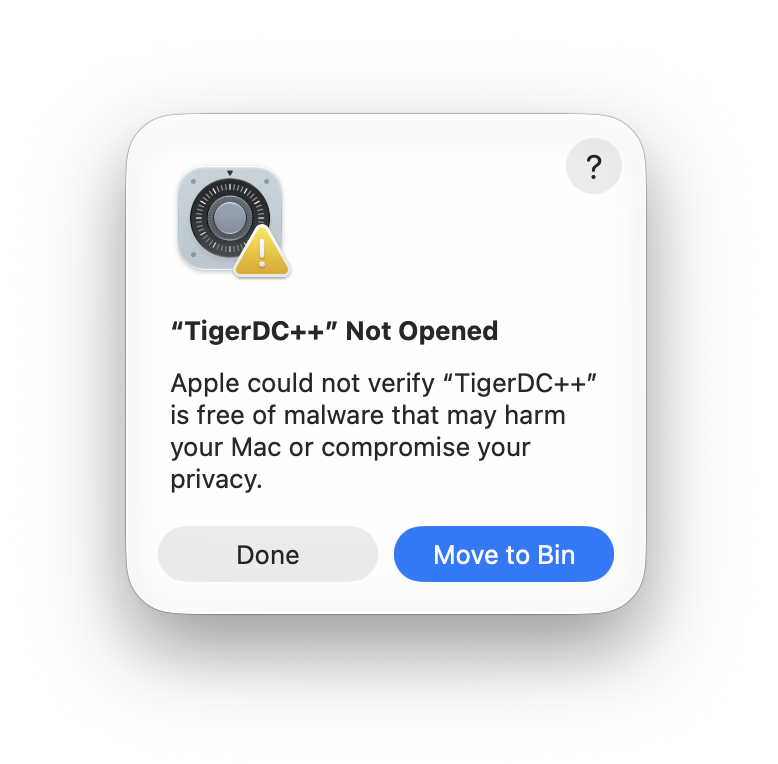
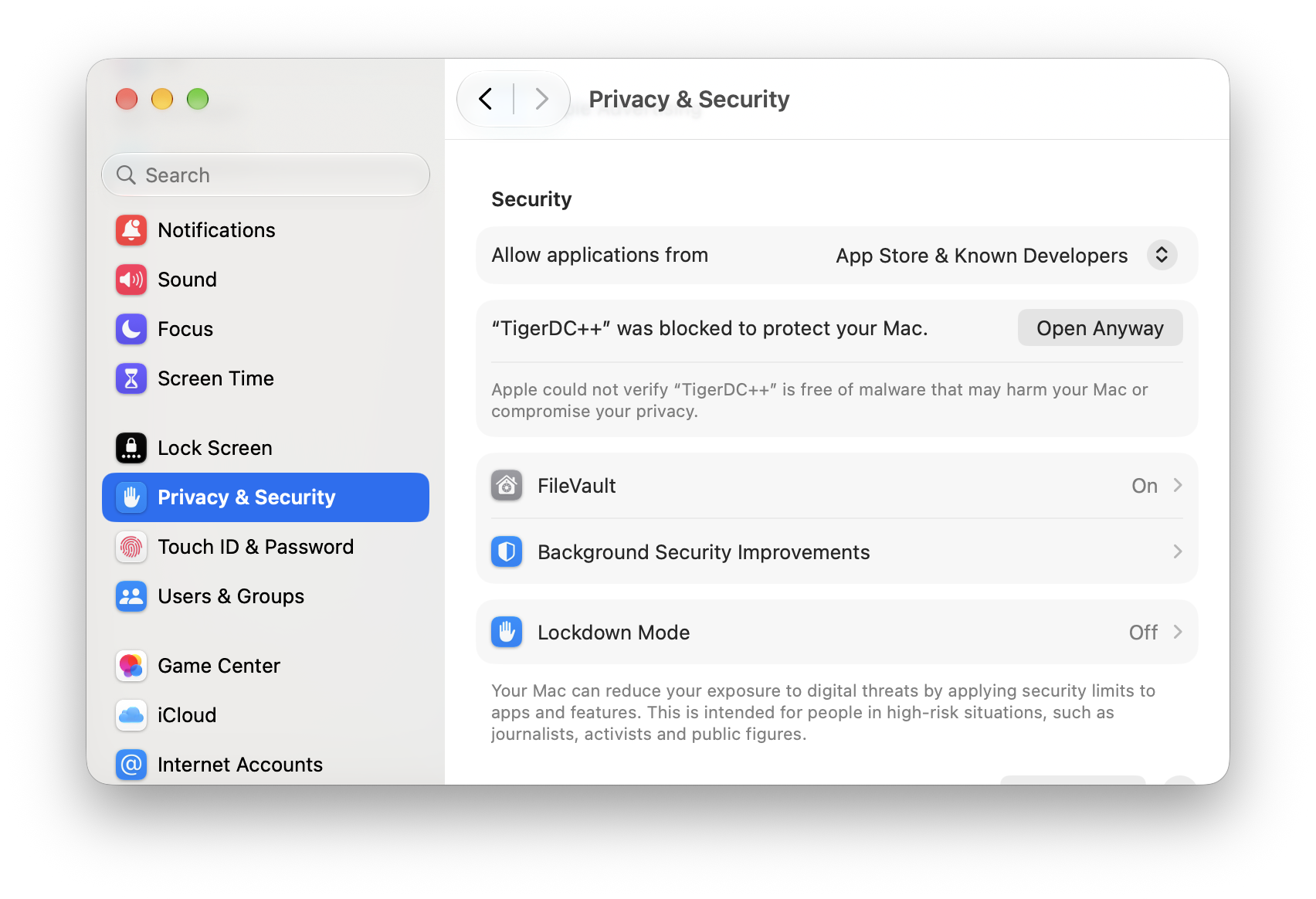
- Open System Settings → Privacy & Security.
Scroll down to Security. Next to the message about TigerDC++, click Open Anyway.
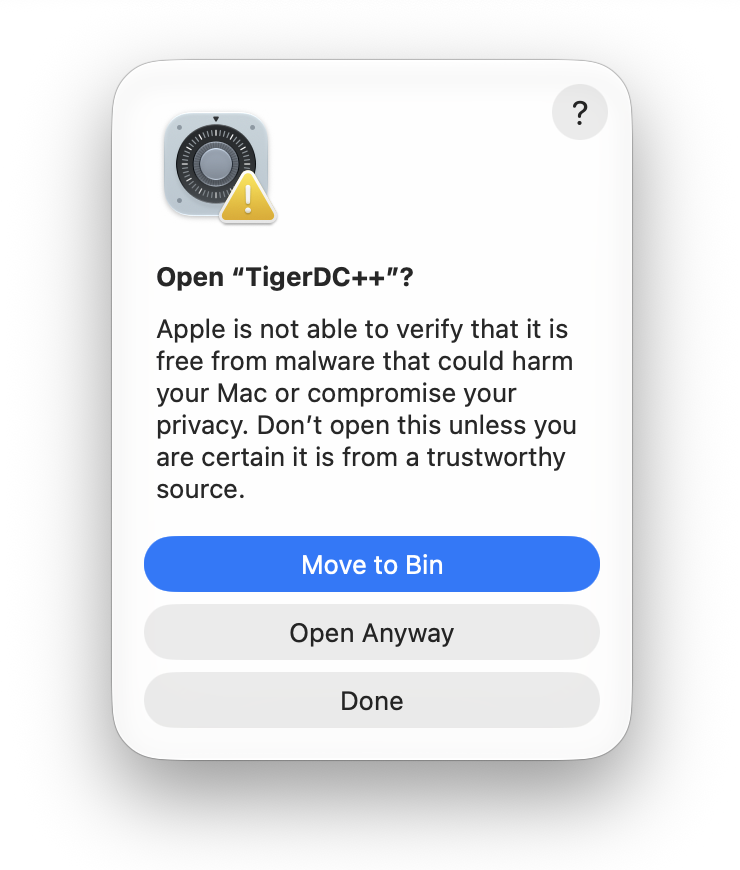
- Confirm that you want to open it.
Click Open Anyway or Open in the next warning. Use your Mac password or Touch ID if asked.
No Open Anyway button? Try opening TigerDC++ from Applications once, then return to Privacy & Security.
Continue only if you downloaded the app from this site and trust it. If macOS says the app is damaged or will harm your Mac, stop and contact support.
Change the app language
Open TigerDC++ → Settings → General → Language. Choose English, Russian or follow your macOS language. Restart the app if prompted.
How to update
Quit TigerDC++ with ⌘Q, then replace the app in Applications with the new version.
Back up your app data and unfinished downloads first. There is no need to delete your settings or queue.
New to Direct Connect on Mac?
Need help?
Report a bugSuggest an improvement
A GitHub account is required. Don’t post license keys or personal information.
A private form, no account needed. Leave your email if you’d like a reply.